
The shape that’s actually on the record.
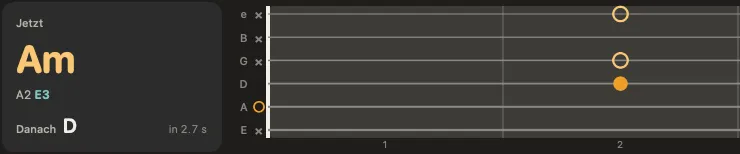
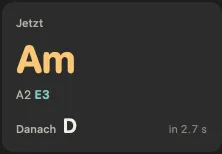
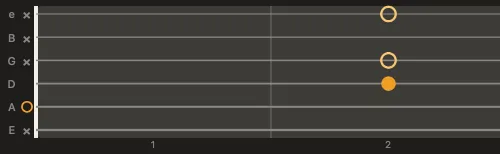
Other apps show you the textbook chord. Riffwerk listens to the guitar stem and shows the notes that are really being played, as a chord diagram with the path to the next chord.
Diese Seite gibt es auch auf Deutsch. Zur deutschen Fassung
Practice app for musicians · free beta for Mac, iPad and Windows
Drop in a song: Riffwerk shows you the chords, chord shapes and melody, and splits every instrument into its own stem so you can play along. For bands, deps and teachers.
Sign up in a minute. I’ll let you in and send you the download.
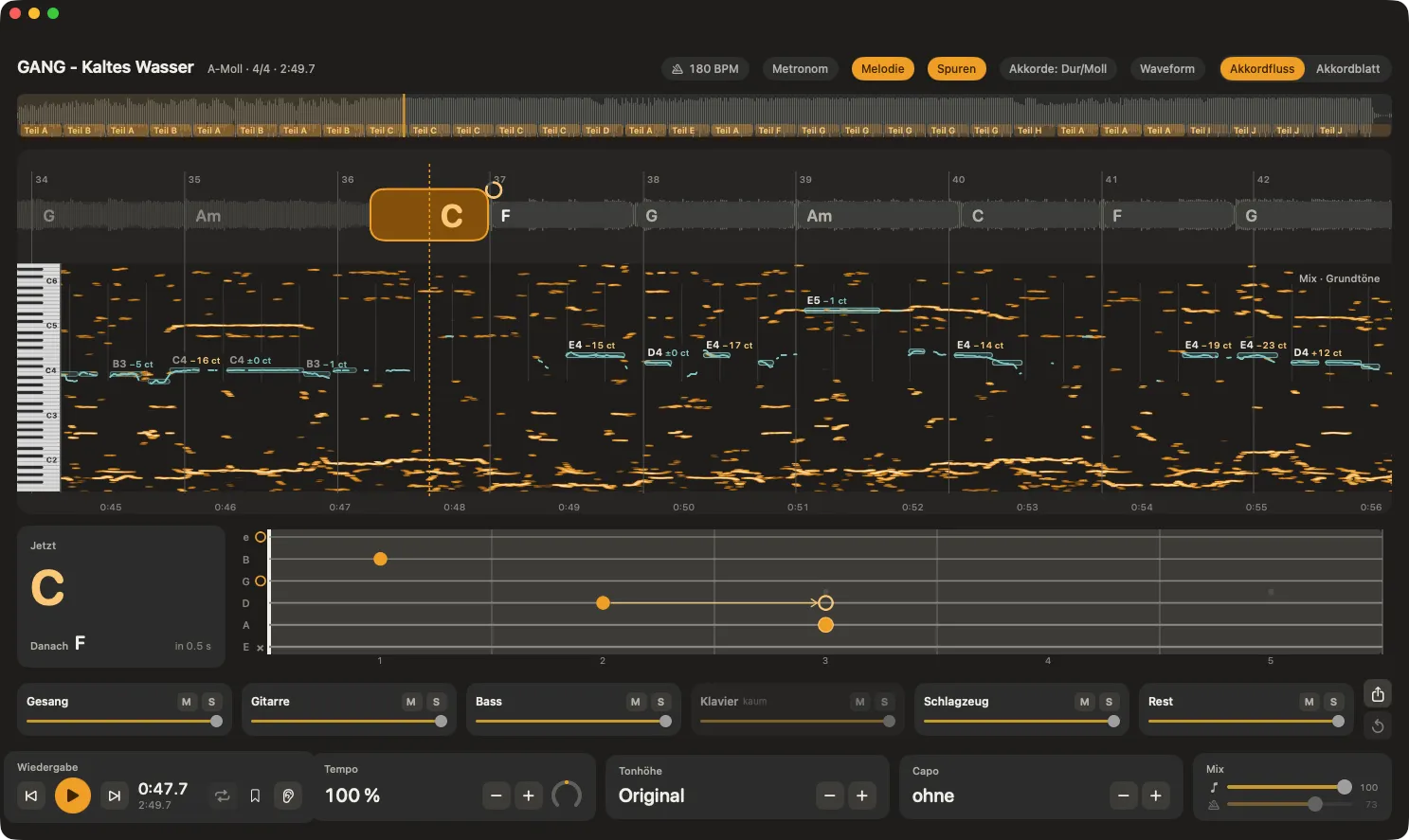
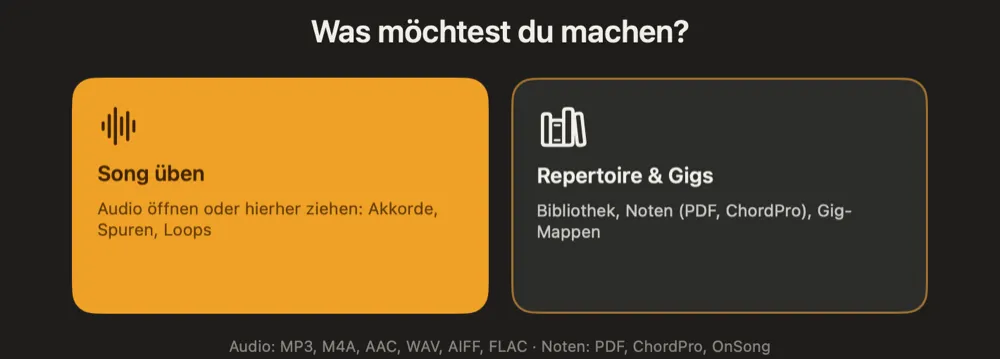
MP3, WAV or whatever you’ve got: open it or drag it into the window. Riffwerk listens to the song on your own device, with no upload.
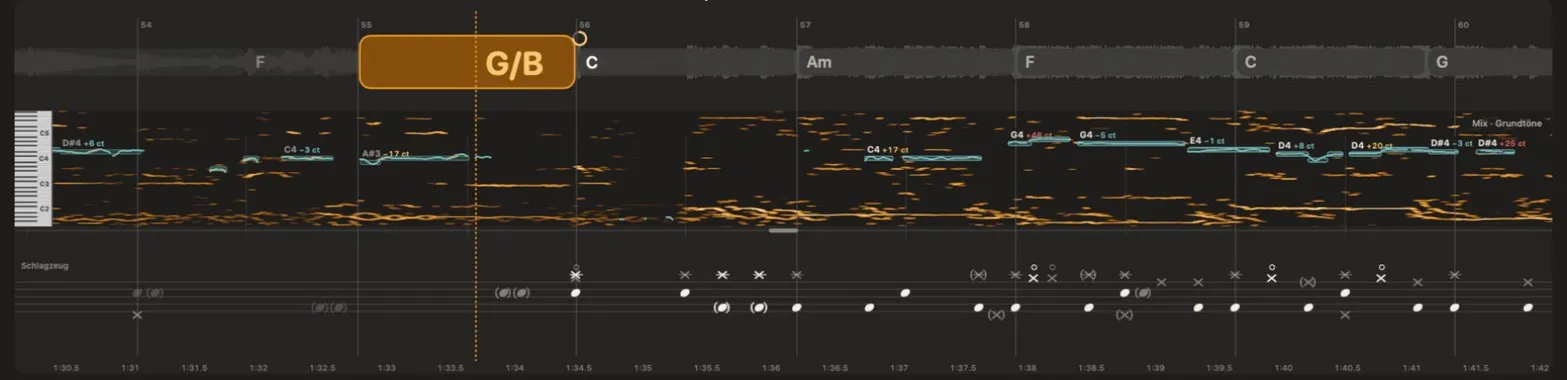
Chords with their shapes, the vocal melody and the drums move with the song. You can hear every instrument on its own: vocals out, bass up, guitar solo.
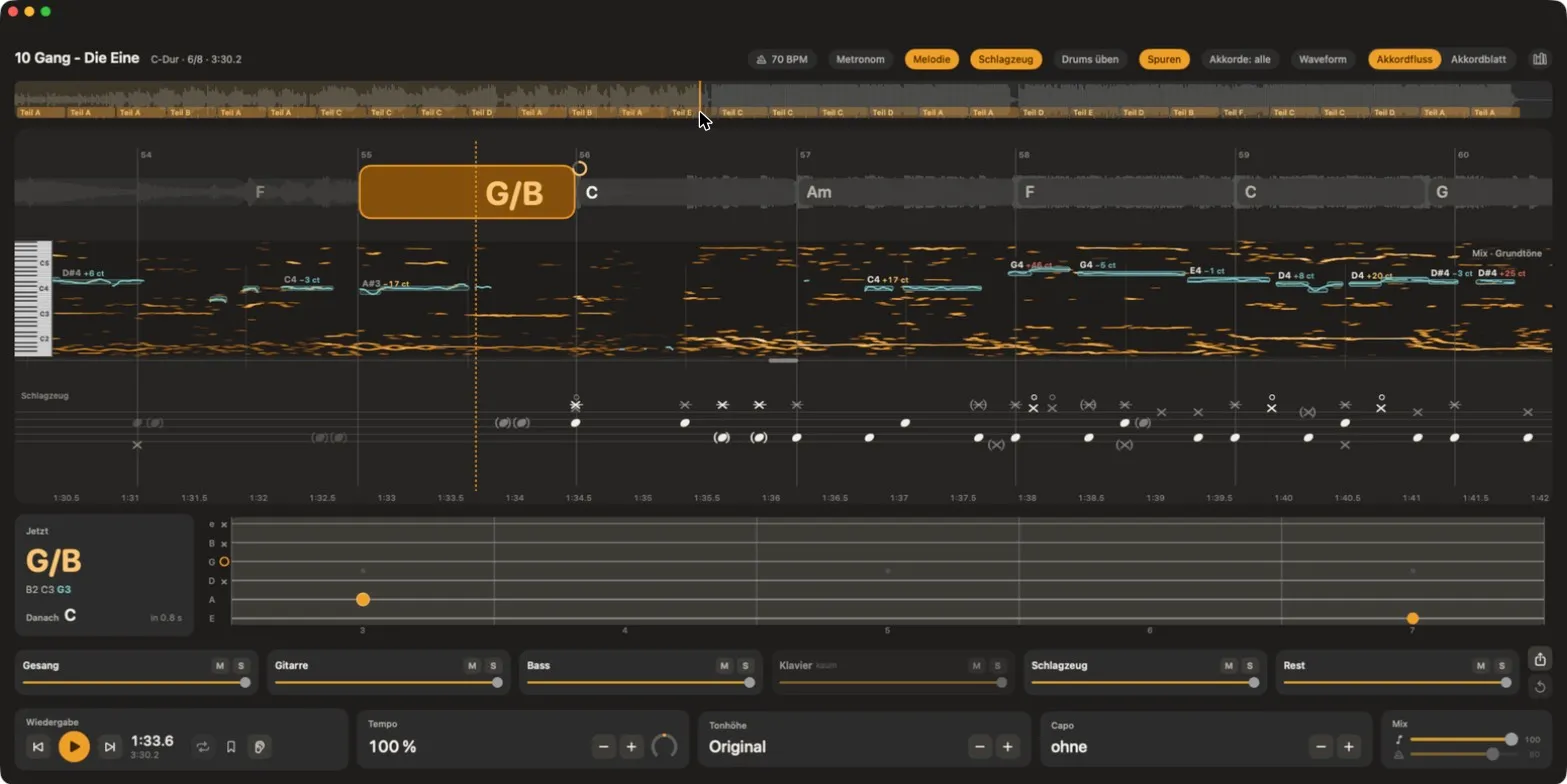
Slow it down without changing the key. Loop the tricky bit, trade phrases with call and response, add the metronome. With an audio interface you can record your own part over the song.

Riffwerk keeps learning. On the Mac and iPad, updates arrive on their own, and you can send feedback straight from the app.
We compared 17 practice and notation apps as of October 2026. These two you’ll only find in Riffwerk.
Other apps show you the textbook chord. Riffwerk listens to the guitar stem and shows the notes that are really being played, as a chord diagram with the path to the next chord.
Riffwerk plays four bars, then leaves four bars of space. The metronome keeps counting and you play it back. Same phrase again or on to the next one, a little faster each time if you like.
Try it nowAll in one app. All on your device. Other apps cover parts of this, often by uploading your song to the cloud first. Riffwerk does all of it on your computer, without an account.
The chorus of “Kaltes Wasser” by GANG, split into stems by Riffwerk. Pick your instrument and play along, right here in your browser.
There’s no piano in “Kaltes Wasser”, so everything keeps playing here.
24 seconds, 1.7 MB. Only loads when you press play.
There’s hardly any piano in this song. Riffwerk notices and greys out the stem, just like here. Used with kind permission of GANG.
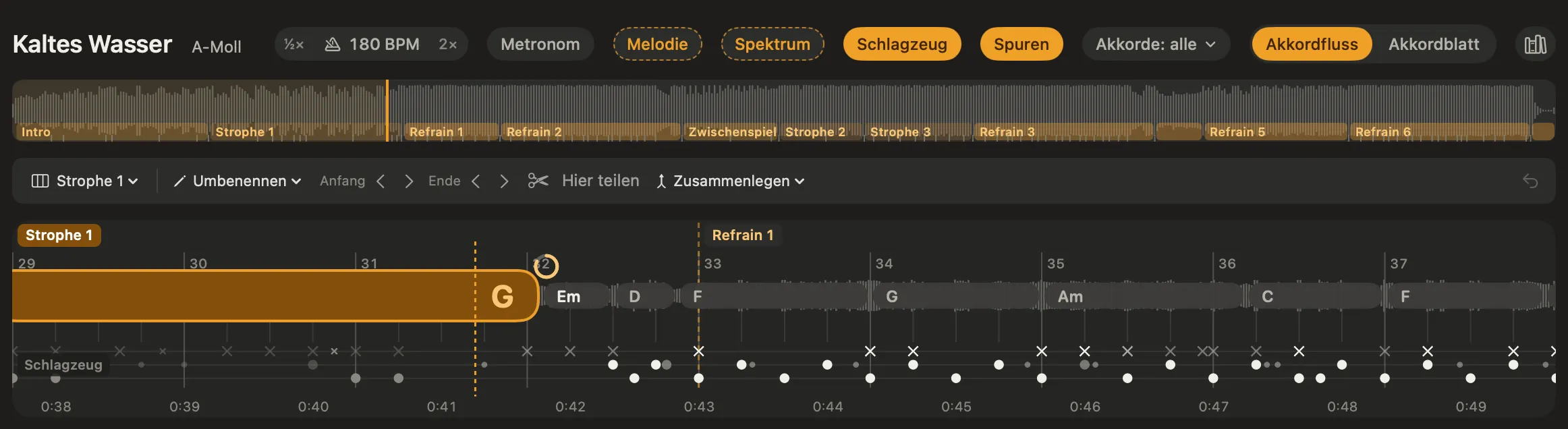
Riffwerk finds where each section of a song starts and gives it its name: intro, verse, pre-chorus, chorus, bridge, solo, interlude and outro. Repeats are numbered, and every boundary lands on beat one of a bar.
Plenty of apps upload your song to the cloud first. Riffwerk leaves it where it is.
Riffwerk splits the stems, finds chords and melody and writes out the sheet music right on your Mac or iPad. You don’t need an account or a connection, so it works in a rehearsal room with no signal too.
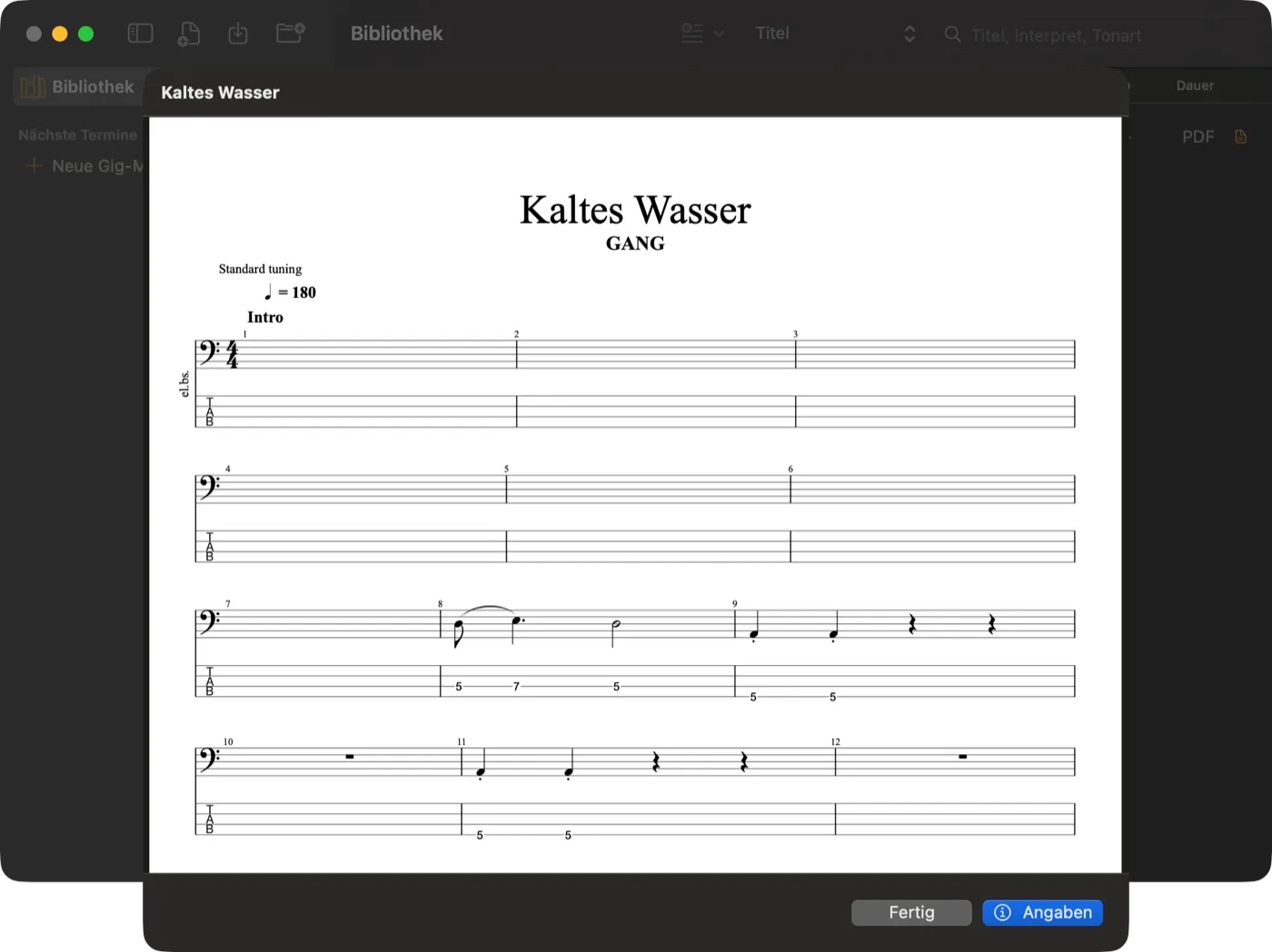
Riffwerk writes out vocals, guitar and bass as notation and tabs. Print-ready as PDF, and editable in your notation software.
Every note on string and fret, in one position, with the capo factored in.
The vocal melody in notation, with chords, key, triplets and ties.
Four bars a line, with the song form laid out: intro, verse, chorus and so on. Ready to play at a glance.
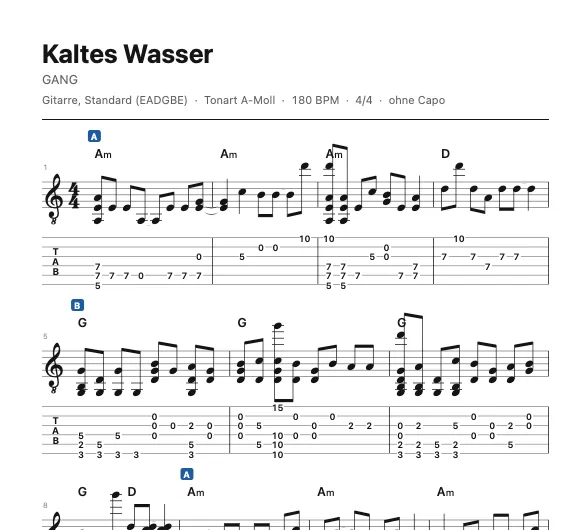
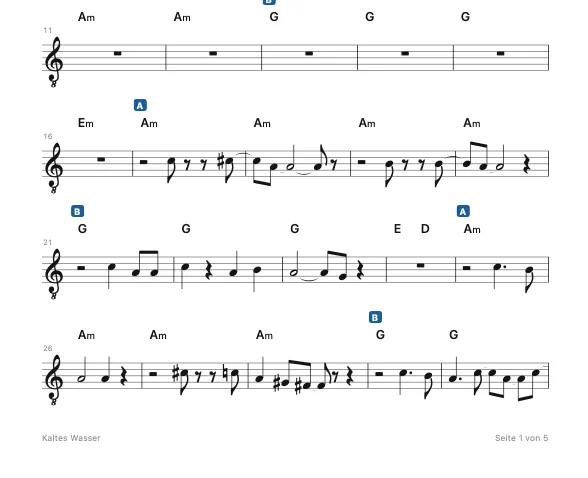
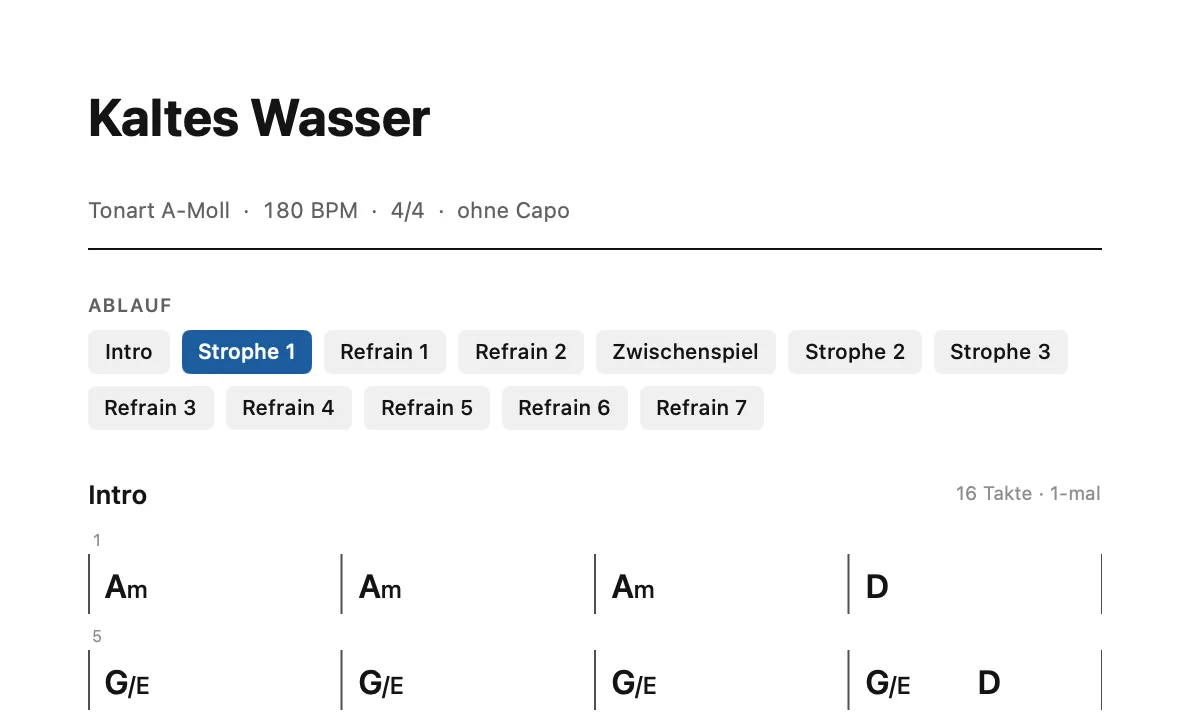
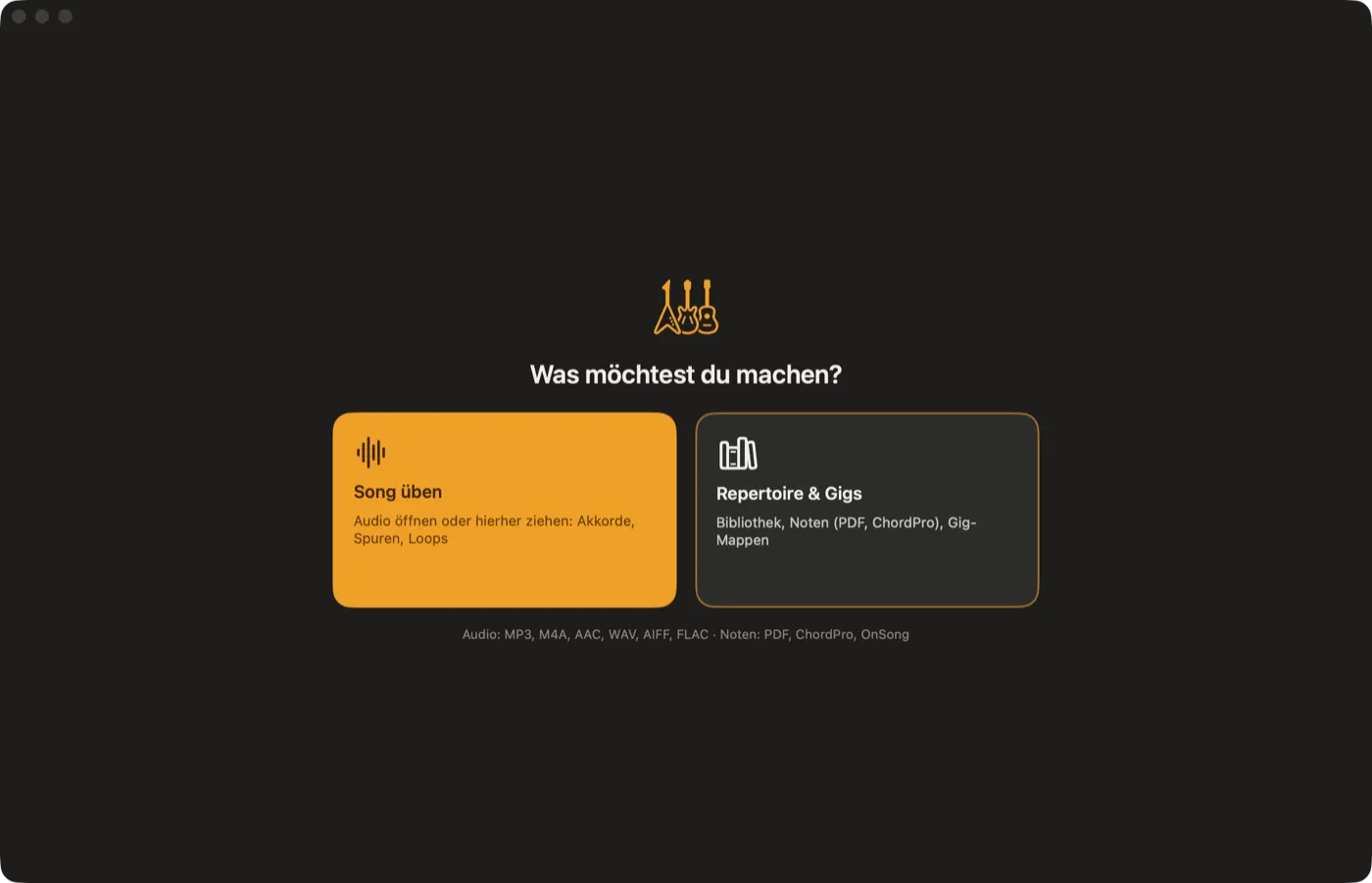
Riffwerk isn’t just for practice. Your library, sheet music and gig folders live in the same app as your recordings.
78.6 %
of chords correct, measured on 60 recordings from GuitarSet with real annotations.
madmom is the reference tool in music research.
98.7 %
correct bass note. That’s what turns chords into inversions like D/F# or C/E.
12 s
for six separated stems of a four-minute song on an M4 Pro.
14
chord types, from major and minor to m7b5 and dim7. Or just major and minor, if you prefer.
Chords and bass note scored as major and minor, compared every 10 ms. Bass note measured on twelve multitrack recordings with a real bass track, as a share of chord time. As of October 2026.
Beer tent tomorrow, wedding on Saturday, three bands a month. The setlist arrives on WhatsApp, and Riffwerk turns it into chord charts and play-alongs without your part. Plus a gig folder with setlist, key and capo for every song, big enough on the iPad to read on stage.
The song your student wants, as a tab in under a minute. The solo slowed down in a loop, the bass line on its own. Chord shapes that fit the song and the instrument in the lesson.
Send fixes, loops and section names as a small file without audio. Everyone in the band opens it with their own copy of the recording and is on the same page right away.
The price isn’t set yet. The beta is free, and the people testing now get a say in what Riffwerk learns next.
On the Mac: Apple silicon (M1 or later) and macOS 14 Sonoma or later. On the iPad: iPadOS 17 or later, ideally with an M-series chip, because the iPad analyzes songs itself. On Windows: Windows 10 or 11, 64-bit. Newer chips split stems faster.
Recordings: MP3, M4A and AAC, WAV, AIFF, FLAC and Apple Lossless. Just drag them into the window. Sheets: PDF, ChordPro and OnSong, including whole folders from forScore, OnSong or SongbookPro. Songs from streaming services are copy-protected and won’t open.
Guitar, bass, ukulele, banjo, mandolin and piano. Plus tunings like Drop D, DADGAD and Open G, and a left-handed view. The chord shapes follow the song.
You don’t need an account. All the models ship inside the app, so Riffwerk analyzes, splits and transcribes on your device, even in a rehearsal room with no signal. It only contacts riffwerk.com briefly to look for new versions.
Two things we haven’t found in any other app: chord shapes that show how a chord is actually played on the recording, and call and response with your own song. On top of that, Riffwerk does stems, chords, melody, sheet music and tabs in one app on your Mac or iPad, with no upload.
Yes, with a right-click. Riffwerk remembers fixes, loops and settings for every song. Send them to your band as a small .riffwerk file without any audio.
On the Mac under Help › Send Feedback, on the iPad in the ⋯ menu. You can attach a screenshot of the window. If Riffwerk ever crashes, it asks on the next launch whether it may send me the report. Or just message me on WhatsApp or by email.
Yes, both in beta. The iPad version comes through Apple’s TestFlight app, with repertoire and gig folders for rehearsal and stage. Windows is a download with chords, the chord flow with fretboard, chord charts, tempo, pitch, loops and stem splitting. Vocal notation, tabs, drum notation and export are still to come. Just tick the devices you have when you sign up.
The app itself is still in German. The English version is next, so feel free to sign up now.
Tell me which devices you want to use Riffwerk on, and I’ll let you in by hand. For Mac and Windows you then get the download and a personal key by email, for the iPad an invite through Apple’s TestFlight.
Rather use email? Write to me directly.
Once I’ve let you in, you’ll get an email with everything you need. A confirmation is already on its way; check your spam folder if it doesn’t show up.
Mac with Apple silicon (M1 or later) and macOS 14 or later · iPad with iPadOS 17 or later, via TestFlight · Windows 10 or 11 (64-bit), in beta with chords and stems. Each beta runs for six weeks, new versions arrive on their own. The app itself is still in German for now.